


AImoji Keyboard - AI Stickers
4.626.00 Reviews
App Specs
- Version
- 1.2.2
- Updated On
- License
- Free
- Downloads
- 10,000+
- Developer
- Alef Network
- Categories
- Personalization
- Platform
- Android
Screenshots
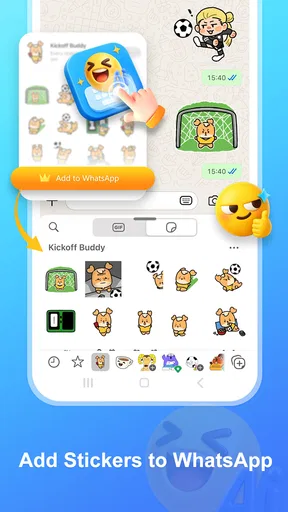
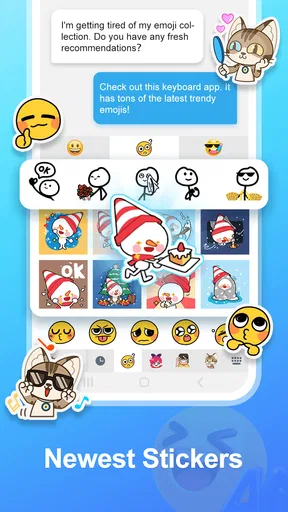
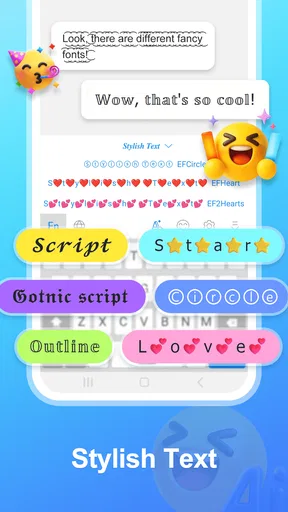
 Analysis by AppCompare
I have always thought keyboard apps are judged in the most unforgiving way: not by how impressive they look in a store preview, but by whether they make everyday conversations easier. AImoji Keyboard - AI Stickers takes a more playful route than a standard typing tool. It is a free personalization app from Alef Network that combines custom stickers with keyboard themes, using AI as the creative starting point. After spending time with it, I see the appeal clearly: it is aimed at people who want their messages to feel more personal without having to design every image from scratch.
The current version is 1.2.1, and the app has already attracted a small but encouraging audience, with a 4.6 average from 122 ratings and more than 10K installs. Those numbers do not prove that it will suit every phone or communication style, but they do suggest that the basic idea is landing well with early users. It is rated for Everyone, works on Android 6.0 and newer, and can be installed without paying upfront. Optional purchases range from $1.49 to $39.99 per item, so the free starting point is useful, but anyone who becomes heavily invested in premium creative options should keep that range in mind.
How the app feels in everyday use
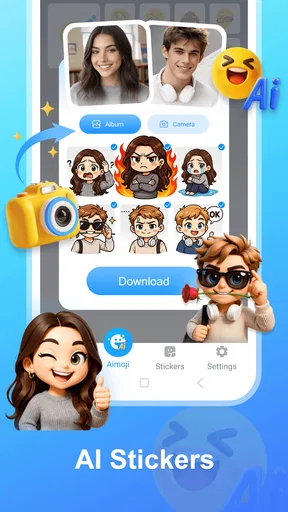
The first thing I noticed is that this is not simply another collection of ready-made emoji. The attraction is the possibility of making something that feels closer to your own humor, mood, or group of friends. Instead of choosing between the same familiar faces and symbols, I can approach a conversation with the idea of creating a sticker around a specific reaction. That makes the app more interesting than a conventional keyboard theme catalog, especially when a normal emoji does not quite capture what I want to say.
For example, imagine receiving a message from a friend saying they have finally finished a difficult task. A standard thumbs-up works, but it is forgettable. With an AI-assisted sticker workflow, I can aim for something more specific: a dramatic celebration, a sleepy victory, or an exaggerated reaction that fits the private joke between us. The value is not that every generated image will be brilliant. It is that the app gives me a faster route from an idea to a visual response.
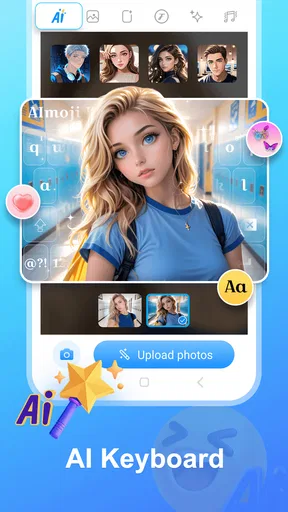
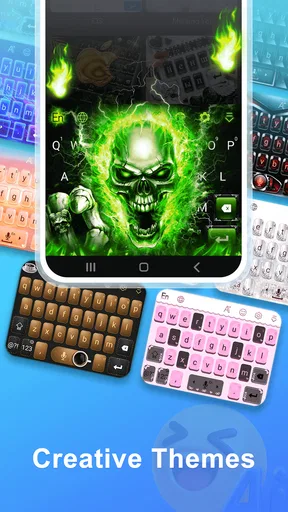
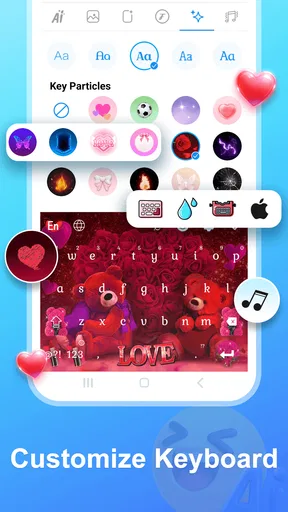
The keyboard theme side serves a different purpose. Stickers are about individual messages, while a theme changes the atmosphere of the typing experience itself. I like that these two functions sit together because they address different kinds of personalization. Someone may want a subtle visual refresh for daily typing and only create stickers occasionally. Another person may care far more about expressive images than about the keyboard’s appearance. The combination gives both habits a place without forcing them into the same feature.
The strongest reason to try AImoji Keyboard is the short distance between a personal idea and something shareable. That is more useful than a huge library of generic decorations when I am chatting in small groups, reacting to current events among friends, or trying to make a routine message less flat. It also gives the app a clearer identity than a keyboard that only changes colors and backgrounds.
Where the AI approach helps
AI is most helpful here when I treat it as a sketching partner rather than a replacement for taste. I can start with a concept, see what kind of visual direction comes back, and decide whether it is good enough to use. That approach prevents disappointment. A generated sticker does not need to be perfect to be funny, but it does need to communicate the intended feeling quickly. A strange expression or unexpected detail can even become part of the joke, while an unclear result is simply frustrating.
Worth Reading Before You Choose

Flipboard Shows What News Apps Must Do Beyond the Feed

Switching to Android Auto Means Rethinking Your Driving Routine

Google Calendar Makes a Crowded Week Easier to Manage

Ludo King Makes the Most of the Minutes Between Plans

Baby Panda World Brings Quick Play to Modern Phones, but Its Game Library Feels Busy

ESPN’s Live Game View Makes Following Close Games Easier
One practical workflow is to create stickers in small batches around a single situation instead of trying to build a giant personal library immediately. I might prepare a few reactions for work chats, a few for family conversations, and a few for gaming friends. This keeps the collection purposeful and makes it easier to find something when I need it. It also exposes an important trade-off: the more specific the concept, the more useful the result can be, but the less likely every attempt is to match the original idea exactly.
I also found it sensible to think about the recipient before creating anything. A sticker that works in a casual private chat may look out of place in a formal conversation. The app encourages playful expression, but it does not remove the need for judgment. That is not a weakness unique to this product; it is simply the reality of using personalized visual content in different parts of daily life.
Keyboard themes are more than decoration
Theme customization can sound superficial, yet it affects how comfortable the keyboard feels over time. A busy design may look exciting for a few minutes and become distracting during longer messages. A calmer theme can be easier to live with, particularly if I type frequently and want the letters and controls to remain visually clear. My advice is to judge a theme while writing a normal paragraph, not only while browsing the preview. The keyboard has to remain practical after the novelty wears off.
This also gives AImoji Keyboard a useful role for people who are bored with the default appearance but do not want to replace their entire phone launcher or install a broad customization suite. The app focuses its personality on a tool used many times a day. That narrower approach can be an advantage for someone who wants a visible change without redesigning everything else.
On the other hand, users who care primarily about typing speed, advanced correction, multilingual dictionaries, or deep productivity tools may find a specialized keyboard more suitable. AImoji Keyboard’s appeal is expressive customization. I would not choose it solely because I wanted the most sophisticated writing assistance available. The visual and sticker features are the reason to consider it, not an incidental extra.
What has changed and what that means for users
The app was released on February 6, 2026, and the current 1.2.1 release places it in an early stage of its life. That matters when deciding how to interpret the experience. An early product can feel focused and fresh, but it may also still be refining its workflow, expanding compatibility, and learning what people actually use. I would view this version as a working foundation rather than a finished personalization ecosystem with every possible option already in place.
The verified version information confirms where the product stands now, but it does not justify assumptions about unannounced future features. I would be cautious about treating the app as if a larger sticker marketplace, more advanced controls, or broader customization tools are guaranteed. Those could be sensible directions, but they remain expectations rather than reasons to install the current version.
For someone already using an earlier release, the most important point is that version 1.2.1 represents the present experience to evaluate. I would update with a practical question in mind: does the current creation and keyboard workflow feel reliable enough for the way I communicate? If the answer is yes, the app’s newer state may make it worth keeping as a daily keyboard. If the answer is no, a version number alone should not persuade me that it has solved a particular annoyance.
The early rating picture is positive, but the review pool is still limited to 26 written reviews. I read that as a useful signal of initial satisfaction, not as a definitive verdict across every device and typing habit. A small group of enthusiastic users can confirm that the concept works, while still leaving plenty of room for different experiences among people who type in several languages, switch keyboards often, or expect professional-grade text tools.
A realistic way to fit it into a routine
My preferred setup would be to use the app selectively rather than forcing it into every conversation. I could keep a restrained theme for normal typing, then use custom stickers when a message benefits from a stronger reaction. In a family group, that might mean a celebratory image after good news. In a friends’ chat, it might be an absurd response that would take too long to explain in words. The keyboard remains available for ordinary messages, while AI-created content becomes an optional layer of personality.
This selective approach also helps with one of the app’s likely friction points: creative fatigue. If I try to generate a new sticker for every reaction, the process can become work instead of fun. Building a small, organized set of dependable responses is more efficient. I would keep the most useful results easy to access and avoid saving every experiment. A personal collection becomes valuable when it reduces effort, not when it becomes another folder to search through.
There is a second, less obvious benefit to this workflow. Reusable stickers can develop a shared language within a group. A particular exaggerated reaction may become recognizable among friends and communicate more than a standard emoji. That is where the app feels genuinely personal: not because the keyboard is decorated, but because the content can become part of how a group communicates.
Where the experience still has limits
The biggest limitation is that AI creativity is not the same as precise design control. If I need a character, layout, or visual detail to appear exactly as imagined, an ordinary graphics editor may be better. AImoji Keyboard is more appealing when speed and spontaneity matter than when I need production-level consistency. That distinction is important for anyone considering it for branding, business communication, or carefully controlled visual work.
There is also a difference between a sticker being technically attractive and being useful in a conversation. A colorful result can still have the wrong emotional tone, an awkward pose, or too much visual information at small size. I would test creations at the scale in which they will actually be sent. Something that looks impressive while creating it may lose its meaning once reduced inside a chat.
Another consideration is the keyboard itself. People who already depend on a familiar keyboard for fast correction and established habits may not want to change their primary typing environment just for themes and stickers. Switching keyboards can interrupt muscle memory, and the benefit of personalization has to outweigh that adjustment. If typing accuracy and speed are the absolute priorities, I would compare this app carefully with the keyboard I already trust before making it the default.
The purchase structure deserves attention as well. The app is free to start, which makes experimentation easy, but optional items can cost between $1.49 and $39.99. I would explore the free experience first and decide whether the creative tools genuinely fit my routine before spending money. That is especially important for casual users who may enjoy making a few stickers but never use the keyboard often enough to justify a larger purchase.
Who should install it, and who should skip it
I think AImoji Keyboard is a good match for people who communicate visually and enjoy changing the mood of their phone. It should appeal to users who want personalized reactions, people who find standard emoji repetitive, and anyone who likes the idea of an AI-assisted creative shortcut rather than starting every design from a blank canvas. It is also a reasonable option for someone who wants a focused keyboard makeover instead of a complete device customization project.
I would be more hesitant to recommend it to a person who rarely sends stickers, dislikes changing their keyboard, or expects advanced typing features to be the central attraction. It is not the obvious choice for someone seeking a minimalist keyboard with no visual extras. Nor would I rely on it as my only creative tool if I needed exact illustrations, consistent characters, or professional design output.
The Everyone age rating makes it broadly approachable, but that does not mean every generated idea is automatically appropriate for every audience. I would still review a sticker before sending it, particularly in mixed-age chats or public conversations. Personalization is most successful when the user remains in control of the final message.
My view of its direction
AImoji Keyboard has a clear current identity: it turns the keyboard into a place for both visual style and AI-assisted expression. That focus is more convincing than trying to compete with every established keyboard feature at once. In my experience, its best moments come when I have a specific reaction in mind and want to turn it into something more memorable than a standard symbol.
The product’s next stage will be worth watching through practical improvements rather than promises. I would look for smoother movement between creating and using stickers, better ways to organize personal results, and continued attention to the everyday typing experience. Those areas would make the difference between an app I open for occasional amusement and one I keep as a permanent keyboard.
For now, I recommend trying the free version with a modest plan: choose a comfortable theme, create a handful of stickers for real conversations, and use the keyboard for ordinary typing before deciding how much space it deserves in your routine. That test reveals more than browsing previews. If the app helps you express reactions you would otherwise struggle to phrase, it has found its purpose. If you only want faster, more accurate typing, a conventional keyboard may still be the better fit.
Overall, I see it as a personable and promising personalization app rather than a universal keyboard replacement. Alef Network has built its appeal around making everyday chats feel less generic, and the current release delivers that idea in an accessible way. Its real strength is not endless decoration; it is giving ordinary conversations a more individual voice.
Pros
- Creates personalized stickers from simple text prompts
- Offers a fun way to add personality to everyday chats
- Works directly from the keyboard for quick access
- Includes a broad selection of expressive emoji-style designs
- Useful for users who enjoy experimenting with AI creativity
Cons
- AI-generated results may not always match the requested idea
- Some features or sticker packs may require in-app purchases
- Keyboard permissions may raise privacy concerns for some users
- Sticker generation can take longer on slower devices
- Requires an internet connection for many AI features
FAQs for AImoji Keyboard - AI Stickers
What is AImoji Keyboard - AI Stickers, and how does it work?
AImoji Keyboard - AI Stickers is a mobile keyboard designed to help users create and share personalized AI-generated stickers and emoji-style images. After installing and enabling the keyboard, you can usually access its sticker tools from the keyboard interface, enter a description or choose a creative option, and generate visual content for use in compatible messaging and social apps.
Is AImoji Keyboard - AI Stickers free to download and use?
The application may be available to download at no initial cost, but some features can be limited by subscriptions, in-app purchases, usage credits, or advertising. Before generating a large number of stickers, check the app’s current pricing page and the purchase confirmation screen. Availability of premium tools, free generations, and trial offers may also differ between Android and iOS.
Does the app require full access to my keyboard, and is it safe to use?
Because AImoji Keyboard works as a custom keyboard, the operating system may request permission to enable keyboard access and, depending on the platform, full access for online generation or additional features. Keyboard permissions should be reviewed carefully. Avoid entering passwords, payment details, or highly sensitive private information through any third-party keyboard, and disable the keyboard whenever you do not need it.
Can I use the AI stickers in WhatsApp, Instagram, Messages, and other apps?
Generated stickers are generally intended for sharing through messaging and social applications, but the exact method depends on the platform and the destination app. Some services may support direct sharing, while others may require saving an image first or using the system share menu. Compatibility, sticker formatting, and available sharing options can vary after updates or between Android and iOS devices.
What should I know about privacy and the content generated by the app?
AI sticker creation may require prompts, images, or other data to be processed by the app’s servers or third-party AI services. Read the current privacy policy before using personal photographs, children’s images, confidential material, or recognizable people without permission. Also remember that generated results can be inaccurate, inappropriate, or unexpectedly similar to existing artwork, so review every sticker before sharing it publicly.


